
If you only want the overview, read the Foundation: Galactic Frontier hub first. This guide goes deeper and follows the developers' own advice from the official "10 Tips you Must Know" guide, the Home Port guide and the fleet guide, plus what we learned from playing through the early weeks. Numbers are only given where an official source confirms them.
Day 1: story first, everything else second

The story missions are not filler. They unlock recruitment, new cabins on the mothership and new modes in a fixed order, and they hand out the early resources you need. Follow the mission tracker until it stops pushing you, then branch out.
- Bind your account in Settings, then Account. The official tips list this as a must, and it is how you move the same account to PC later.
- Do every story mission on offer, including the first landings with your three champion squad.
- Build what the tutorial asks for on the mothership. Resource cabins and the crew cabin come first.
- Recruit with your free recruitment currency once recruitment unlocks. The official guide calls it Virtuous Memories.
- Open the Encyclopedia Galactica (Profile, then Encyclopedia Galactica) once, so you know where the in game manual lives.
Day 1 and 2: join a Commerce Guild
The developers put "Join a Guild" as tip number one, and for good reason. Commerce Guilds give shared resources, rallies on bosses you cannot kill alone, guild only events and access to ports. Without a guild you cannot claim ports above level 5, and higher level Home Ports are only available through guild territory.
How to pick one in the first two days:
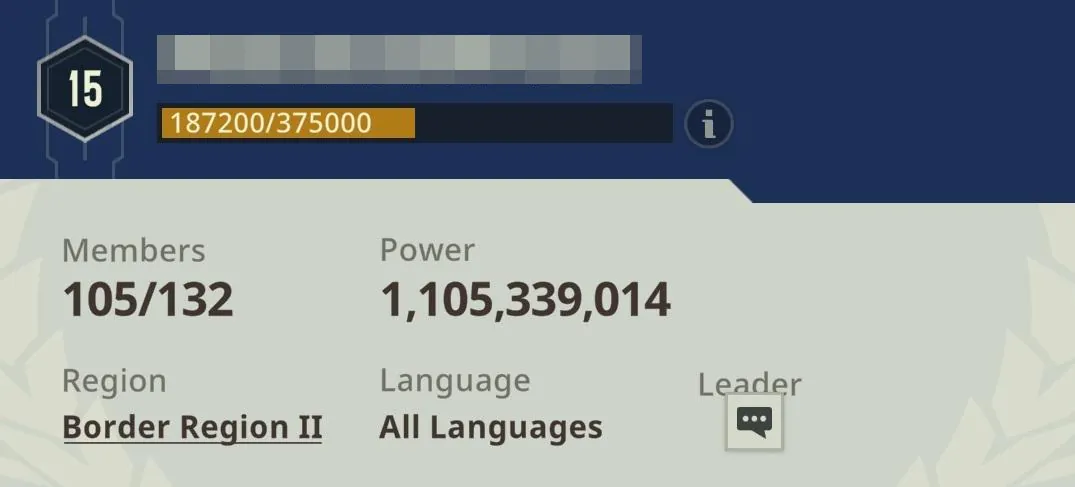
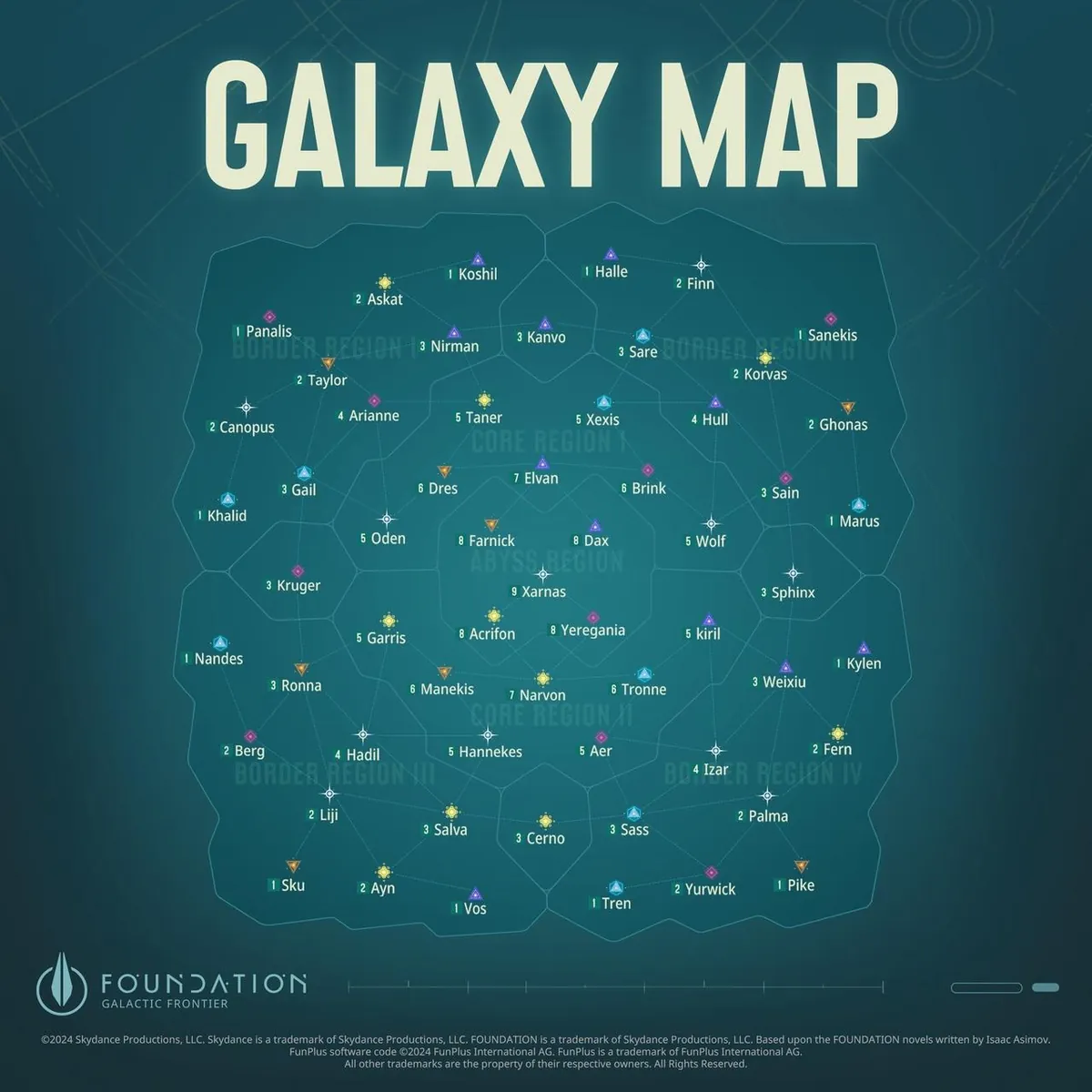
- Same region. A guild in your Border Region can give you a Home Port nearby. The panel shows the region.
- Active, not huge. A guild with a full roster and recent chat beats a big empty one. The official example shows 105 of 132 members.
- Language. The panel lists the guild language. Rallies need quick chat.
- Use chat before you apply. The official guide recommends reading world chat to find guilds that match your playstyle.
Guild warfare is covered in detail in our PvP and alliances guide.
Day 2 and 3: settle your Home Port
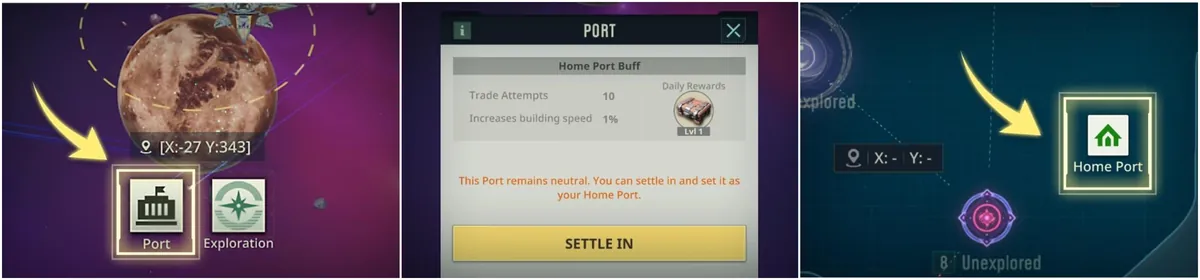
A Home Port is a Planet Port you settle in. It unlocks a settle in buff, instant fleet recall (recall charges regenerate every 15 minutes), automatic redeployment near home when your fleet is defeated, and Trader Commissions that refresh in that star system. Higher port levels raise your Trade Attempts and building speed.
| Home Port level | Trade Attempts | Building speed boost |
|---|---|---|
| L1 | 10 | 0.02 |
| L2 | 16 | 0.03 |
| L3 | 20 | 0.03 |
| L4 | 26 | 0.04 |
| L5 | 30 | 0.05 |
| L6 | 36 | 0.05 |
| L7 | 40 | 0.06 |
| L8 | 40 | 0.07 |
| L9 | 40 | 0.08 |
Values from the official Home Port guide; the daily reward tier matches the port level. Two rules decide where you can settle: the port level you may use depends on your Energy Core level, and neutral ports only exist in systems up to level 5. Above that you need a guild that holds ports in the system. Start with a neutral port in your Border Region, then move to a guild port as soon as your guild has one.
 Foundation: Galactic Frontier: Home Port Guide (official channel)
Day 3 to 5: build one fleet around one style
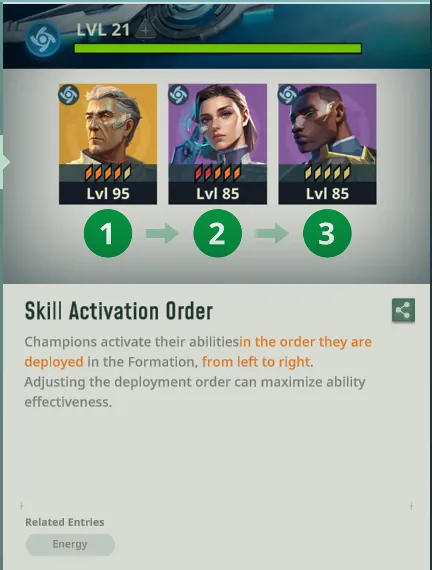
New players usually recruit whatever looks strong and end up with a fleet of three styles. That throws away the biggest early bonus in the game. The official numbers: two champions of the flagship's style give +10 percent ATK, DEF and INT; three give +20 percent. Countering the enemy's style adds only 5 percent damage.
- Look at the style icon on every champion and component before you invest: Beam (blue swirl), Kinetic (square) or Ion (triangle).
- Aim for three of one style in your main formation, even if one of them is weaker on paper.
- Place support and debuff champions first. Skills activate left to right, so the official guide recommends supports before your damage dealers.
- Level a few champions, not many. Resources for champion promotion are scarce early.
Which champions to aim for is on our champions tier list; which ships and flagship to pair them with is in the best ships guide.
Day 5 to 7: the Energy Core and the daily loop
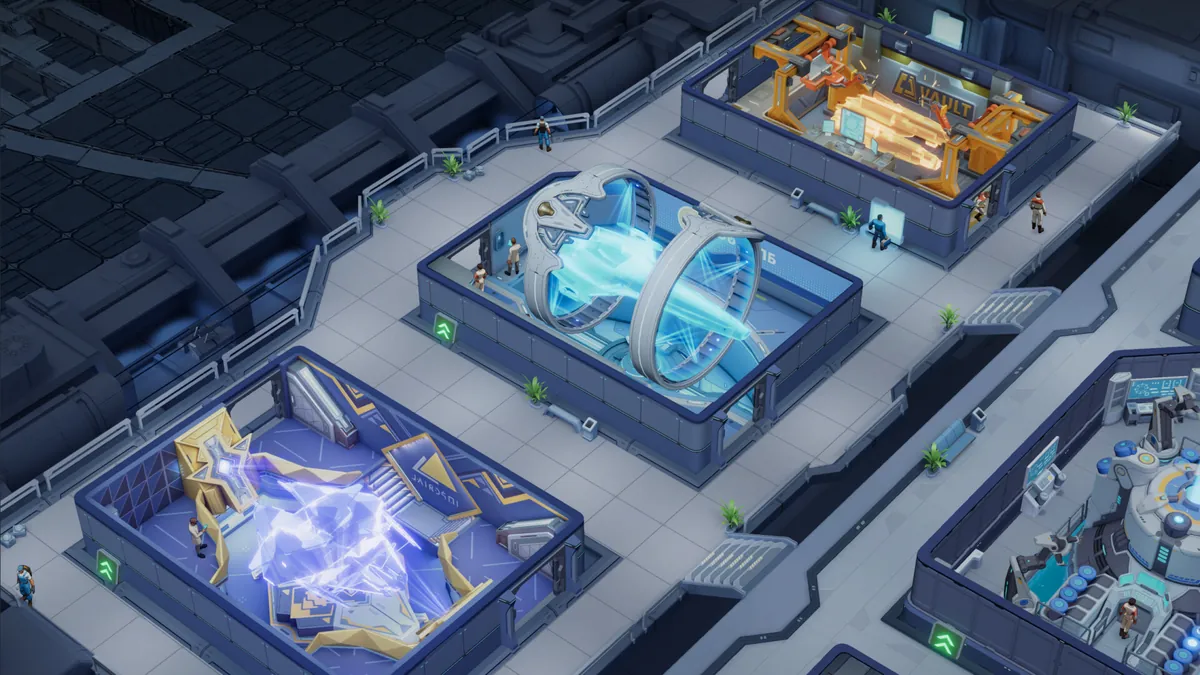
The Energy Core is your headquarters building. Per the release notes it generates the Power every room needs, Power generation consumes Water, and higher room levels consume more Power. Raising the Energy Core also raises your champion and flagship level caps (the official Fusion Seed guide confirms +5 champion levels and +1 flagship level per Energy Core level at the top end), unlocks new features and decides which Home Port level you can use.
A daily loop that works from the end of the first week:
- Collect resource cabins and guild Resource Earnings (Guild, then Ports, then Claim).
- Start the longest building upgrade, ideally on the path to the next Energy Core level.
- Spend Action Points on missions and Ascendancy targets before they cap.
- Run Trader Commissions from your Home Port system.
- Join guild rallies and the event of the day; check the event calendar for timed guild events.
Our base building guide covers the mothership and upgrade order; the resources guide explains where every currency comes from.
What you can safely ignore in week one
The interface throws event icons, shops and leaderboards at you from the first login. Most of them can wait until your economy runs on its own:
- Leaderboards. Top 100 Galactic Traders and power rankings reward accounts that are months old. Take part for the participation rewards, do not chase the ranking.
- A second style. Until your first fleet has three matching champions, any champion of another style is a bench warmer.
- Cosmetics and flagship skins. Nice to have, zero effect on your first week.
- Moving across the map. Your starting Border Region has what you need. Move when your guild moves.
- Every limited event at once. Pick the events that reward what you already do: building, research, missions or rallies.
What you should not ignore is your guild's schedule. Port wars, rallies and guild events give the best rewards per minute in the game, and they only happen when people are online together.
Mistakes that cost new traders the most
- Mixing styles. Covered above; it is the most common mistake in new accounts.
- Spreading upgrades. Five half levelled champions lose to three fully levelled ones of one style.
- Ignoring timers. Guild events, War Declarations and server events such as Top 100 Galactic Traders, Arms Race and Defend the Trade Route run on fixed schedules. Missing them costs rewards you cannot buy back.
- Staying guildless. You lose rallies, Resource Earnings, port buffs and higher Home Ports.
- Exploring nothing. Planets, systems and free floating debris give resources, loot and champion upgrade items, according to the official guide.
- Spending premium Credits on small speed ups. Save them for limited events and real bottlenecks.
 Foundation: Galactic Frontier: 5 Essential Tips (official channel)
FAQ
What should I do first in Foundation: Galactic Frontier?
Follow the story missions, bind your account in Settings, then Account, join an active Commerce Guild in your region and settle a Home Port. Then build one fleet around a single style.
How do I change my Home Port?
Tap a Planet Port in a star system, open Port and choose to settle in. You can hold one Home Port at a time, either a neutral port up to system level 5 or a port your guild occupies.
What is the best style for beginners?
Pick the style of the strongest champions you already have. Three champions of the same style give a 20 percent bonus to ATK, DEF and INT, which matters more than which style you choose.
How do I reroll in Foundation: Galactic Frontier?
Community guides describe playing until recruitment unlocks, using the free recruitment currency and starting a new account if the result is poor. It is optional; the bigger factor is focusing one style.
What does the Energy Core do?
It generates Power for every mothership room, uses Water to do so, and its level gates champion and flagship level caps, new features and the Home Port level you can settle.
Where can I find official guides in game?
Open Profile, then Encyclopedia Galactica. The developers say it is updated with every new feature, and the official site foundation.game publishes longer guides.