The numbers below come from Wargaming's support article on system requirements and match the Steam store page, both checked on November 10, 2026. New to the game? After setup, head to the beginner guide or back to the World of Warships hub.
Official PC requirements
| Minimum | Recommended | Maximum, 1080p | Maximum, 4K | |
|---|---|---|---|---|
| OS | Windows 7 64 bit | Windows 7, 8.1, 10 or 11, 64 bit | Same | Same |
| CPU | Intel Core i3 3210 3.2 GHz or AMD Athlon X4 970 | Intel Core i5 10400 or AMD Ryzen 5 3600 | Intel Core i7 8700K or AMD Ryzen 5 3600 | Same as 1080p |
| RAM | 6 GB | 8 GB | 8 GB | 8 GB |
| GPU | GeForce GT 640, Intel UHD 630 or Radeon R7 240 | GeForce GTX 770 or Radeon RX 570 | GeForce RTX 2060 or Radeon RX 5700 XT | GeForce RTX 3060 Ti or Radeon RX 6800 XT |
| Video memory | 2 GB | 4 GB | 6 GB | 6 GB |
| Resolution | 1280 x 720 | 1920 x 1080 | 1920 x 1080 | 3840 x 2160 |
The game needs DirectX 11 and a broadband connection. In practice the recommended column is what you want for a smooth game at 1080p on medium settings. The minimum column will run, but expect low settings and 720p.
Disk space and download
Plan for more space than the game itself takes. Wargaming's support page lists a download of about 64 GB, about 109 GB of free space needed during the install and about 67 GB once the game is installed. The Steam store page lists the same 67.2 GB. Install the game on an SSD if you can: loading into battle from a hard drive is slow enough that you can miss the first seconds of a match.
Updates arrive roughly every four weeks (15.9 in October, 15.10 in early November 2026) and each one downloads several gigabytes, so keep some headroom on the drive.

Settings for low end PCs and laptops
If your PC sits near the minimum specs, these steps help most, in this order:
- Start from the lowest graphics preset, then raise texture quality first if your GPU has the memory for it. Textures cost video memory, not much speed.
- Turn down shadows, water, effects and post processing. Water and effects are expensive in a naval game, and you will not miss them in battle.
- Lower the resolution before anything else looks blurry: 1600 x 900 or 1280 x 720 on a weak GPU is better than 1080p at a stuttering frame rate.
- Cap the frame rate a little above what your PC holds in heavy fights. A steady 45 is easier to aim at than a frame rate jumping between 30 and 70.
- Plug in the laptop and use the dedicated GPU. On laptops with two graphics chips, set the game to the high performance GPU in the Windows graphics settings.
- Update your graphics driver and close background apps, especially browsers and recording software you do not use.
 Optimal Settings for WoWs (OverLordBou)
Which settings for which PC
A rough guide based on the official requirement tiers. Your mileage will vary with resolution and driver, so test in a busy battle and adjust:
| Your PC | Resolution | Preset to start from | Then |
|---|---|---|---|
| Near minimum (GT 640, UHD 630, 6 GB RAM) | 1280 x 720 | Lowest | Turn off post processing and lower water and effects further if it stutters |
| Around recommended (GTX 770, RX 570, 8 GB) | 1920 x 1080 | Medium | Raise textures, keep shadows and effects moderate |
| Around the 1080p maximum tier (RTX 2060, RX 5700 XT) | 1920 x 1080 | High or maximum | Cap frames near your monitor refresh rate |
| 4K capable (RTX 3060 Ti, RX 6800 XT) | 3840 x 2160 | Maximum | Lower water and effects first if heavy battles drop frames |
The minimum RAM is 6 GB, but the game shares that memory with Windows and anything else running. On an 8 GB machine, closing the browser before a session makes a visible difference in loading times and stutter.
Before you install: a quick checklist
- Free up space: about 109 GB during the install, about 67 GB afterwards.
- Pick the launcher: Steam if you live there, the Game Center if you play several regions or other Wargaming games.
- Pick your region carefully when you create the account. It decides your server and your ping.
- Look for an invite code first if you are new. Our codes page explains how they work.
- Update your graphics driver before the first launch.
Mac, Linux and cloud gaming
There is no Mac client. Wargaming ended macOS support in 2021 with Update 0.10.0, and the Steam page lists Windows only. Wargaming's own support article points Mac players to cloud gaming with GeForce NOW, or Boot Camp on older Intel Macs without a guarantee of support. Linux players use compatibility layers at their own risk: Wargaming does not support them officially, so we do not recommend a setup here.
Steam or the Wargaming Game Center?
Both run the same game on the same servers, and both use a Wargaming account. The differences:
| Wargaming Game Center | Steam | |
|---|---|---|
| Account | Wargaming account, choose your region | Wargaming account linked to your Steam profile |
| Existing account | Log in as usual | Can be linked since March 2025: start through Steam, log in with your Wargaming credentials and confirm |
| Payments | Wargaming shop | Steam wallet for purchases made through Steam |
| Extras | Installs other Wargaming games too | Steam overlay, achievements and Steam Game Recording |
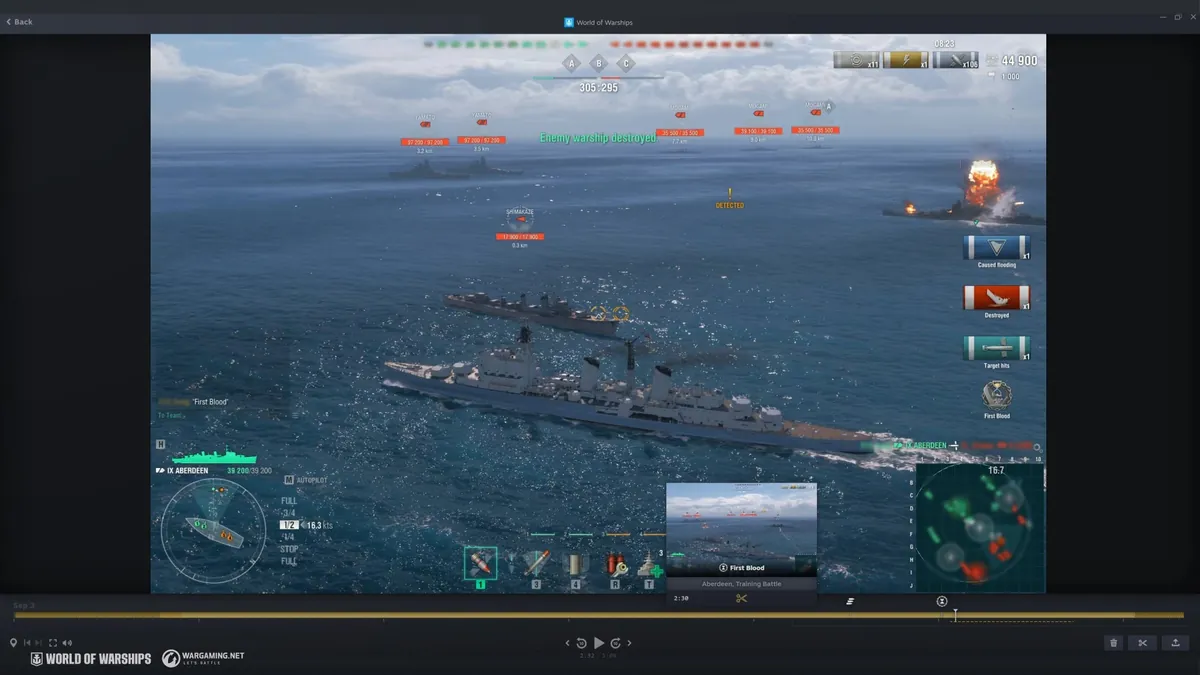
One Steam profile can be linked to only one Wargaming account. If you play on several regions, the Game Center is simpler. If you already live in Steam, use Steam: since November 2026 the game supports Steam Game Recording, which marks key moments of each battle on a timeline automatically.
Steam Deck and handheld PCs
We could not confirm an official Steam Deck rating or official support for handheld PCs, so we make no promise here. What we can say: the game is Windows only and needs DirectX 11, the minimum GPU tier is an Intel UHD 630 class chip, and the minimum resolution is 1280 x 720. Handheld PCs that run Windows and meet those numbers fall into the same range as a low end laptop, and the low end settings above apply. If you try it, test in a full battle, not in a Co-op battle against bots, before you judge the frame rate.
Network: ping matters more than frame rate
World of Warships is forgiving about latency compared with a fast shooter, because shells take seconds to arrive anyway. Still, a stable connection matters: packet loss causes ships to jump, which makes leading targets guesswork. Play on a cable connection when you can, close downloads and streams in the background, and pick the region closest to you when you create the account. A 60 ms connection without spikes beats a 30 ms connection that drops packets.
If you stream or record your battles, remember that capture software costs performance too. Steam Game Recording and similar tools are light on modern GPUs but noticeable on minimum spec machines. Turn them off first if your frame rate drops in busy battles.
Common install and performance problems
- Install stuck or corrupted. Run the integrity check in the Game Center, or verify the game files in Steam.
- Stutter in battle on a hard drive. Move the game to an SSD.
- Crashes after a driver update. Roll back to the previous stable driver and report the crash to Wargaming support with a WGCheck report, which the support pages ask for.
- High ping. Make sure you play on the server of your region. Accounts are tied to a region (EU, NA or Asia), so pick the closest one when you register.
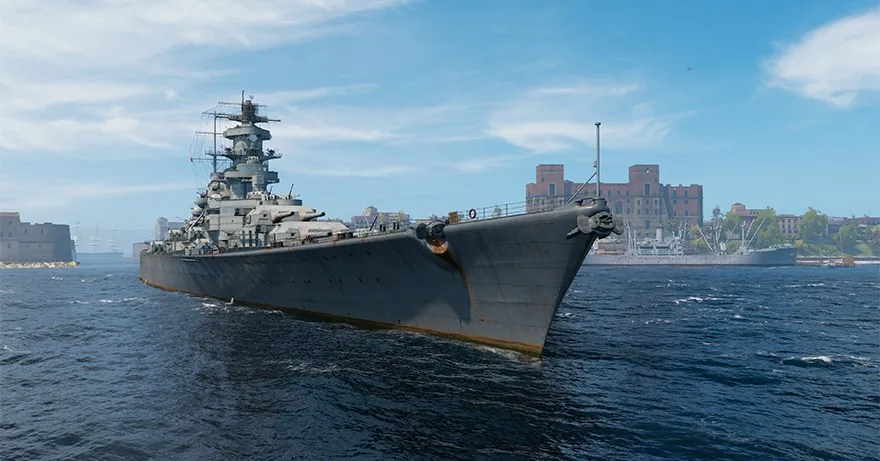
Once the game runs well, pick a first line from our best ships for beginners and check the codes page for free containers and Premium time.
FAQ
Can my PC run World of Warships?
If it has a 64 bit Windows, 6 GB of RAM and a GPU at the level of a GeForce GT 640 or Intel UHD 630, it meets the minimum. For smooth 1080p you want about a GTX 770 or RX 570 and 8 GB of RAM.
How many GB is World of Warships?
About 67 GB installed, according to Wargaming and Steam. You need around 109 GB free during the installation.
Is World of Warships on Mac?
No. Wargaming ended macOS support in 2021. Mac players can use cloud gaming such as GeForce NOW.
Can I play my Wargaming account on Steam?
Yes. Since March 2025 an existing account can be linked to Steam: start the game in Steam, log in with your Wargaming credentials and confirm.
Does World of Warships run on a laptop?
Yes, most modern laptops with a dedicated GPU run it well. On integrated graphics, use the low preset and 720p.